Terminal Setup

The terminal is a text-based interface used to interact with a computer. Behind the scenes, a program called the shell interprets your commands, understands your intent, and instructs the computer to perform the desired actions.
As a pragmatic engineer, I keep my setup minimal, using the default macOS Terminal.
Shell - Zsh
Section titled “Shell - Zsh”
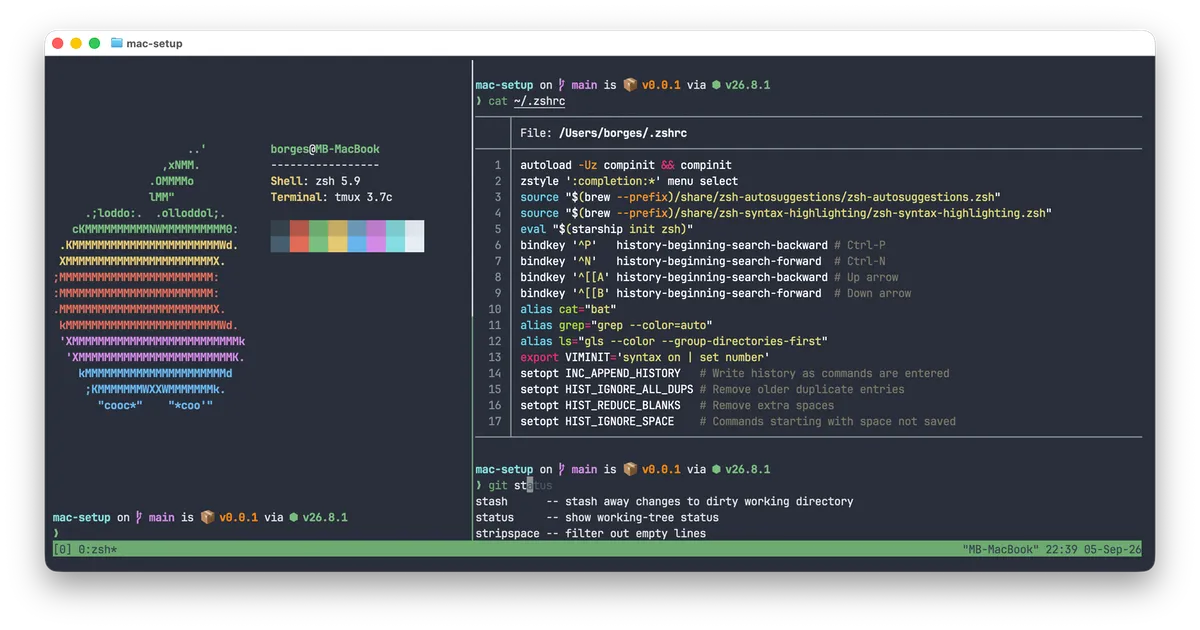
The Z shell or Zsh has been the default shell on macOS since October 2019. I use it with a few extra plugins:
- zsh-autosuggestions
- zsh-syntax-highlighting
- GNU Coreutils for an improved
lscommand - Bat for
catwith syntax highlighting
Shell Prompt - Starship
Section titled “Shell Prompt - Starship”
My favorite Shell Prompt is Starship. It works out of the box with minimal configuration and requires only a Nerd Font. My preferred choice is JetBrains Mono.
Starship gives me:
- Git status (branch, changes, ahead/behind)
- Language/runtime versions (Node, Python, Rust, Go, etc.)
- Package version info (npm, Cargo, etc.)
- Minimal, fast, customizable prompt style
Setting up the macOS Terminal
Section titled “Setting up the macOS Terminal”-
Install JetBrains Mono Nerd Font:
Terminal window brew install font-jetbrains-mono-nerd-font -
Install Starship:
Terminal window brew install starship -
Install Zsh plugins:
Terminal window brew install zsh-autosuggestions zsh-syntax-highlighting -
Install GNU Coreutils:
Terminal window brew install coreutils -
Install Bat:
Terminal window brew install bat -
Update the
.zshrcfile:Copy and paste that in the Terminal.
Terminal window ZSHRC="$(cat <<'EOF'# Zsh completionautoload -Uz compinit && compinitzstyle ':completion:*' menu select# Zsh pluginssource "$(brew --prefix)/share/zsh-autosuggestions/zsh-autosuggestions.zsh"source "$(brew --prefix)/share/zsh-syntax-highlighting/zsh-syntax-highlighting.zsh"# Starship prompteval "$(starship init zsh)"# Keybindings for history searchbindkey '^P' history-beginning-search-backward # Ctrl-Pbindkey '^N' history-beginning-search-forward # Ctrl-Nbindkey '^[[A' history-beginning-search-backward # Up arrowbindkey '^[[B' history-beginning-search-forward # Down arrow# Aliases for better defaultsalias cat="bat"alias grep="grep --color=auto"alias ls="gls --color --group-directories-first"# VIM environmentexport VIMINIT='syntax on | set number'# Historysetopt INC_APPEND_HISTORY # Write history as commands are enteredsetopt HIST_IGNORE_ALL_DUPS # Remove older duplicate entriessetopt HIST_REDUCE_BLANKS # Remove extra spacessetopt HIST_IGNORE_SPACE # Commands starting with space not savedEOF)"echo "${ZSHRC}" > "${HOME}/.zshrc"source "${HOME}/.zshrc" -
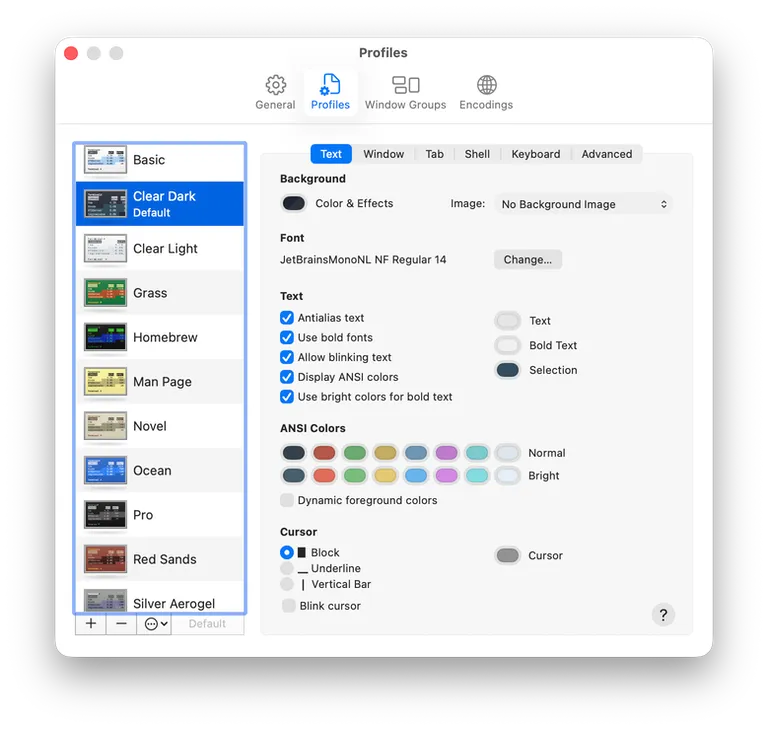
Update the Terminal Settings Profiles:
- Text
- Font: JetBrainsMonoNL NF, Regular, 14
- Text: Use bright colors for bold text
- Keyboard
- Use Option as Meta key
- Text